Your ads are getting leads. The phone rings, the WhatsApp chats keep coming, the forms fill up. But when your sales team works through them, too many turn out to be students, competitors, wrong numbers or people who never reply. You are paying for every one of them.
The cause is rarely the ad itself. It is what Google and Meta are told to look for. This guide explains offline conversion tracking — sending your real sales results back to the ad platforms — and shows how to set it up step by step.
Why ad platforms send you junk leads
Google Ads and Meta use automated bidding: they show your ad to the people most likely to complete your "conversion". Out of the box, that conversion is usually a click, a form fill or a chat that has just started. The platforms never find out what happened next.
So from their side, a junk enquiry and a customer who paid you look exactly the same. Both count as one success, and the bidding goes looking for more of both. The cheaper and easier the junk is to get, the more of your budget it takes.
What offline conversion tracking is
Offline conversion tracking closes the loop. After a lead arrives, your team works it in your CRM as usual. When it reaches a stage that matters — qualified, converted, won — that result is sent back to the platform that produced the lead, together with a value. Google receives it as an offline conversion; Meta receives it through its Conversions API.
Now the platforms can see which clicks turned into customers and what they were worth, and their bidding shifts your budget toward people like your buyers instead of people who simply fill in forms.
Decide what counts before you connect anything
The setup is quick. The decisions behind it are what make it work.
Pick three stages. For example: qualified (a real enquiry worth following up), converted (a booking, a visit or a quote accepted) and won (paid). Use stages your team already updates every day.
Give each stage a value. A won deal should be worth more than a qualified lead. If your deals vary a lot, use the actual deal value rather than one fixed amount.
Never report junk. Leads you mark as junk should not be sent at all, so the platforms learn to avoid them.
How to set it up in Lead10
Step 1: Connect your ad accounts
Connect your Google Ads account, your Meta Business account, or both. You need admin access to each account, and it is a one-time connection. From then on, every new lead keeps the details of the campaign and ad that produced it — including leads from click-to-WhatsApp ads on Facebook and Instagram, from Google ads and from your website forms. Your existing campaigns keep running as they are.
Step 2: Map your lead statuses to conversions
Choose which of your lead statuses mean qualified, converted and won. One click sets up the three stages for each ad account, and each conversion action appears in Lead10 with its category, default value and lookback window.
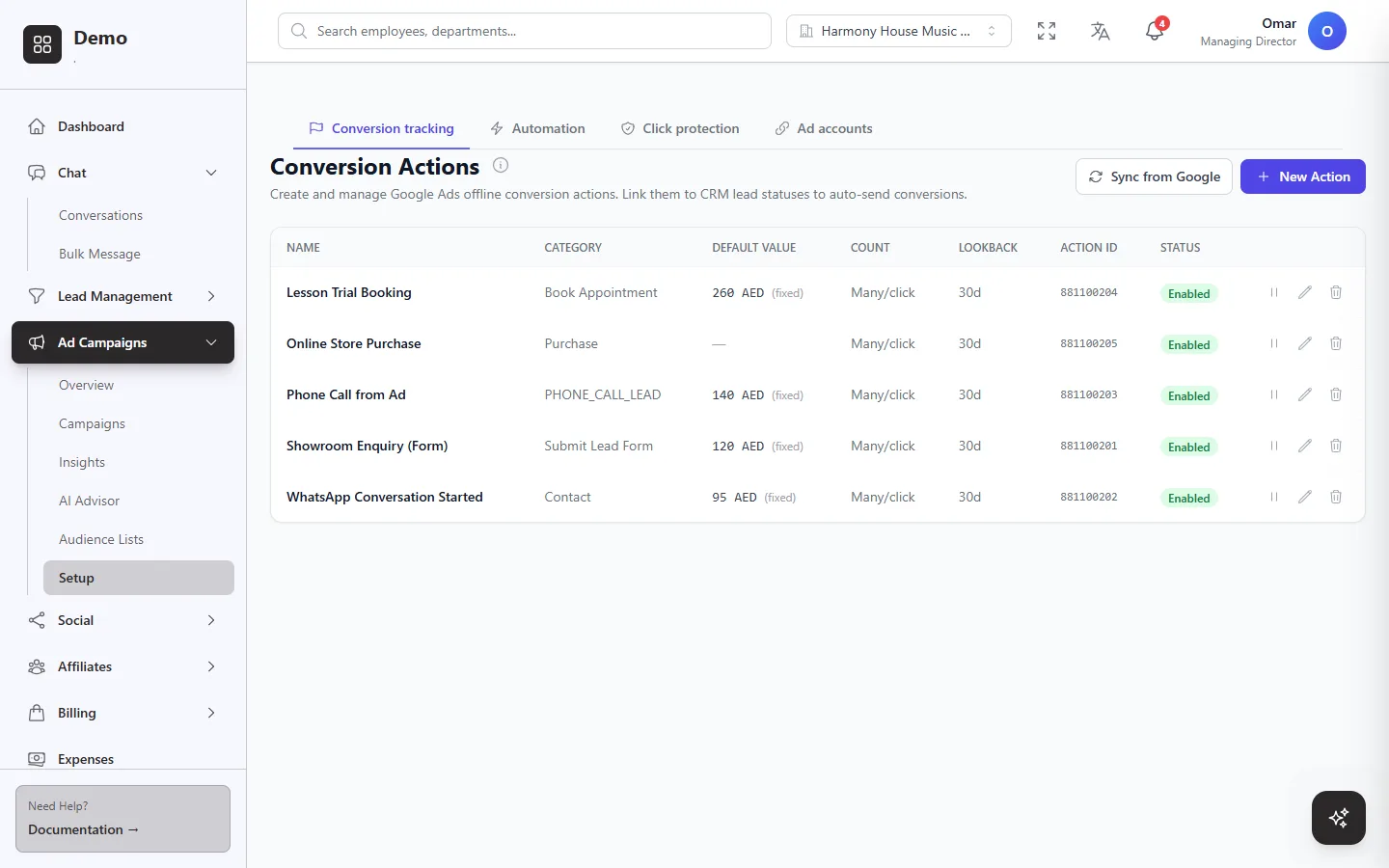 Conversion actions in Lead10, each with a value and a lookback window, linked to the lead statuses that send them.
For each conversion, decide how its value is worked out: a fixed amount, the lead's deal value, or a percentage of the price of the product the ad promotes. Changes are pushed to Google Ads straight away.
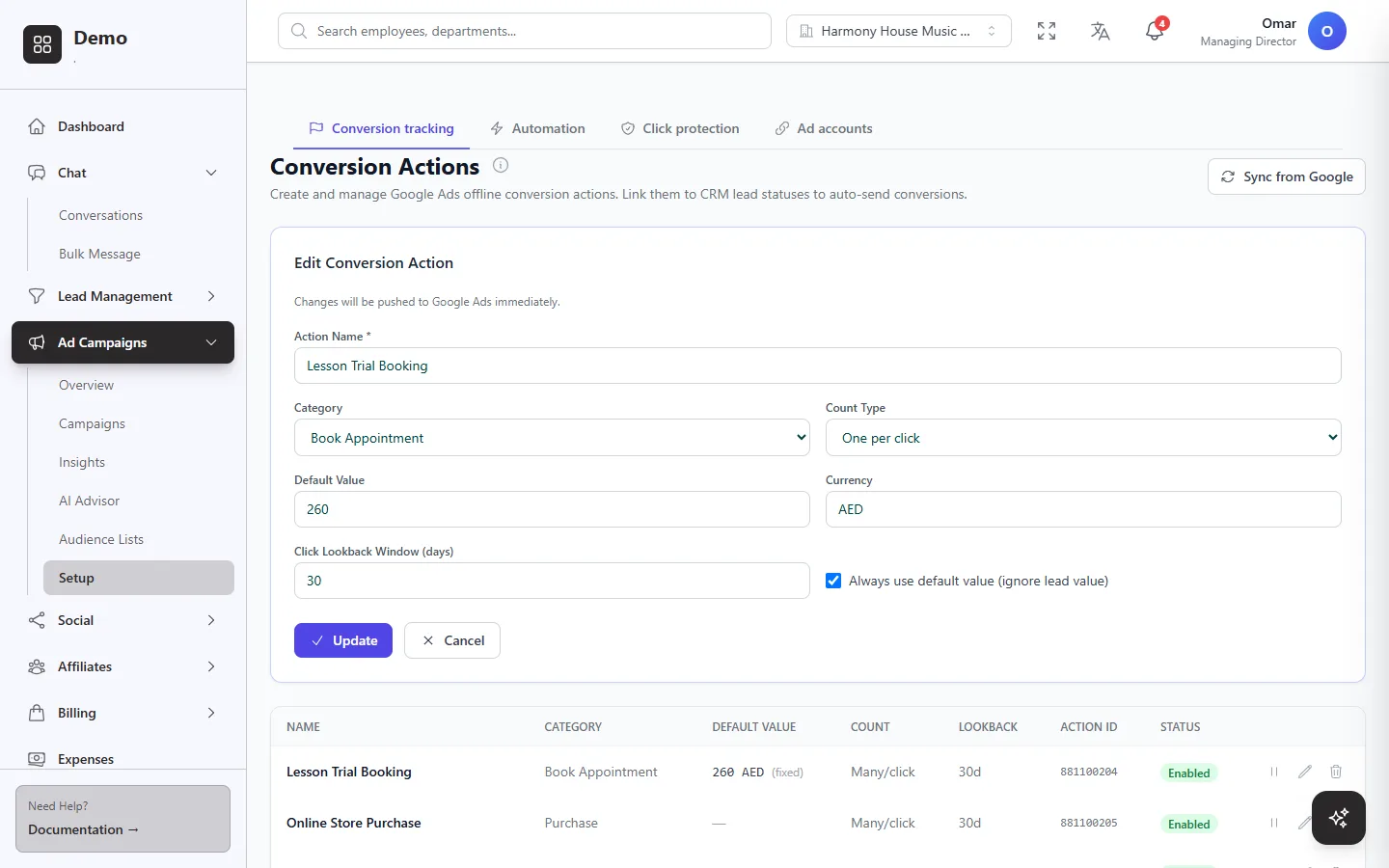 Setting the value, currency and lookback window for one conversion action.
Step 3: Work your leads as usual
There is no extra step for your team. When a salesperson moves a lead to one of the mapped statuses, Lead10 reports it automatically, with its value — to Google for leads that came from Google clicks, and to Meta for leads that came from Meta ads. If you need more control, any CRM event can also trigger a conversion through an automation rule.
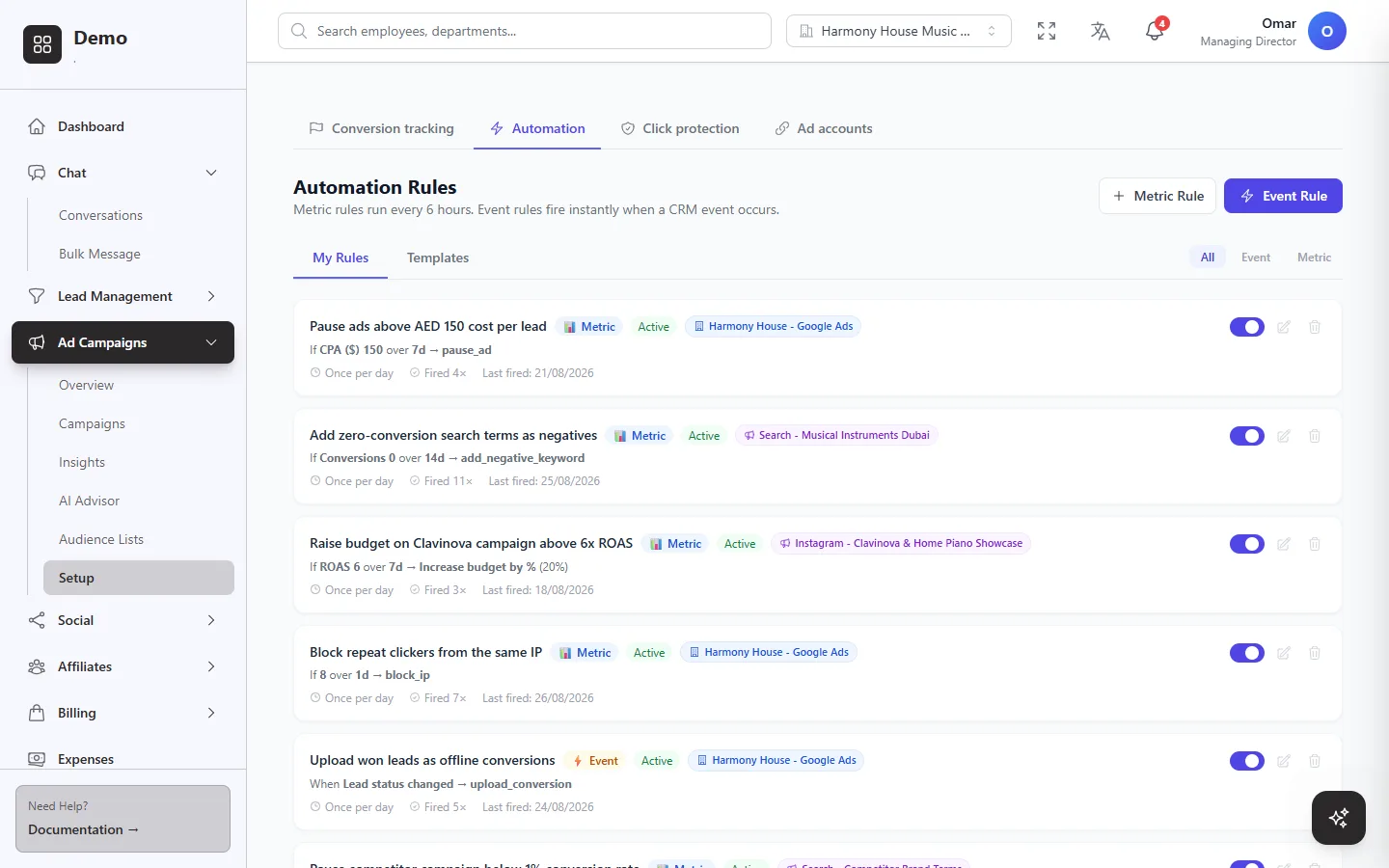 Automation rules, including one that uploads won leads as offline conversions the moment their status changes.
Step 4: Turn your CRM into audiences
The same data can steer who sees your ads. Build customer lists from any saved filter in your CRM — for example "asked about lessons but never enrolled" — and Lead10 pushes them to Google and Meta and refreshes them on a schedule. Use your best customers as the seed for a Meta lookalike audience, and exclude existing customers from prospecting ads so you stop paying to reach people who already bought.
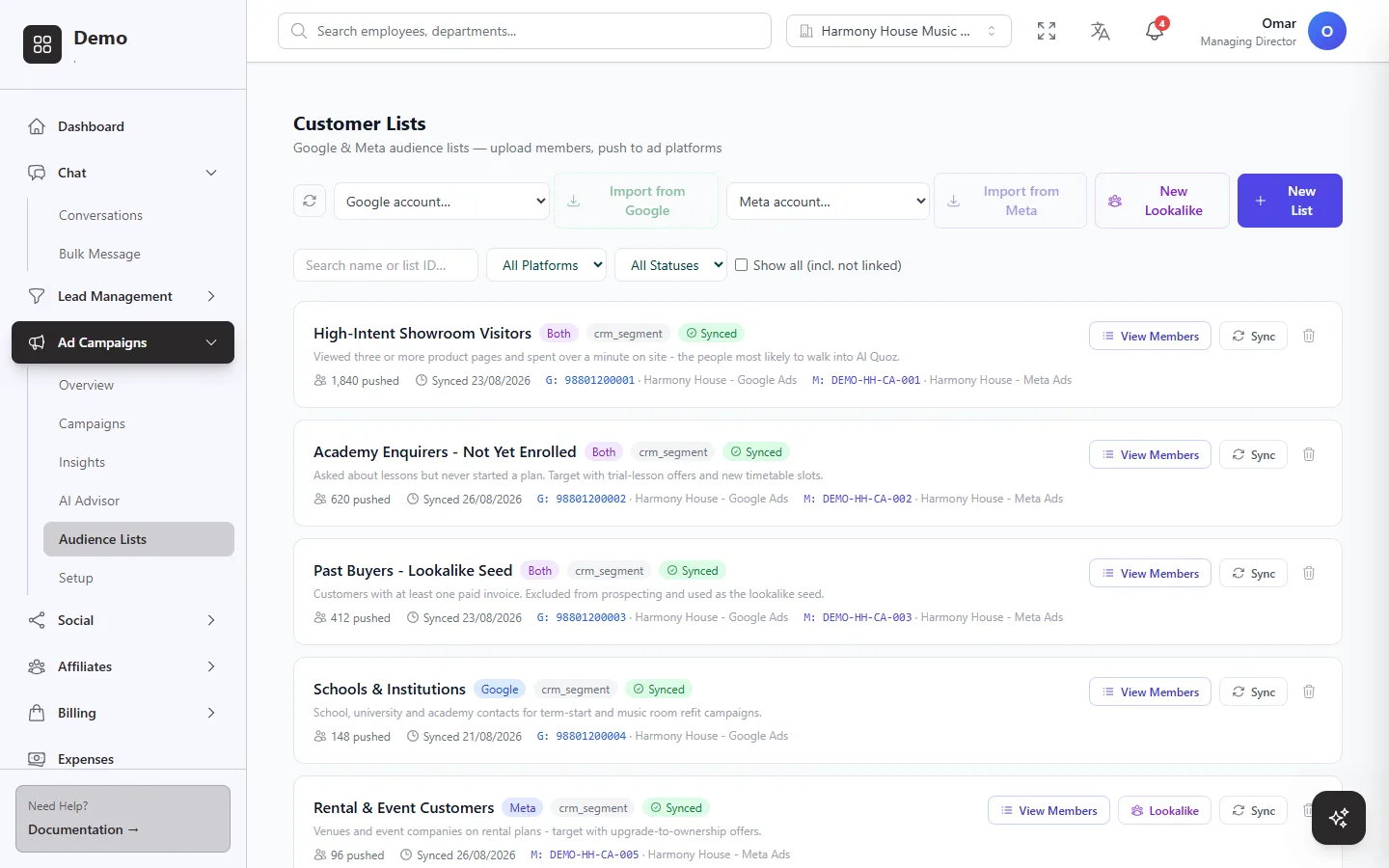 Customer lists built from CRM segments and synced to Google and Meta, including a lookalike seed of past buyers.
What to expect
Google and Meta learn from a steady flow of signals, so the more leads your team moves through the pipeline, the faster it works. Expect it to take a few weeks, not a few days. Two habits make the biggest difference: keep lead statuses up to date, and do not change your conversion setup every few days while the platforms are still learning.
Common mistakes to avoid
Counting every enquiry as the main conversion. If a chat that has just started is worth as much as a sale, the platforms will keep chasing chats.
Using one value for everything. Without different values, a small order and a large contract look the same.
Letting statuses go stale. A lead that was won but never marked as won is a sale the platforms never hear about.
Reporting junk. Sending junk leads back teaches the platforms to find more of them.
Next steps
For the short version, read What is offline conversion tracking for Google Ads and Meta? To see how it fits with campaigns, audiences and automation rules, explore Ads Manager in Lead10.